Report Description
This report helps determine the amount of restitution owed, based on the wage determination loaded in the system, and the validation notice that occurred. It shows the following information:
- Project.
- Payroll number.
- Week end date.
- Employee name.
- Owner / Operator.
- Number of regular and overtime days worked.
- Craft/classification listed on CPR.
- Rate of pay (regular, overtime, double time and fringes).
- Amounts paid.
- Craft/classification that should have been used.
- Rate of pay (regular, overtime, double time and fringes that should have been paid).
- Difference in pay.
- Number of occurrences.
- Penalties (if any).
Parameters
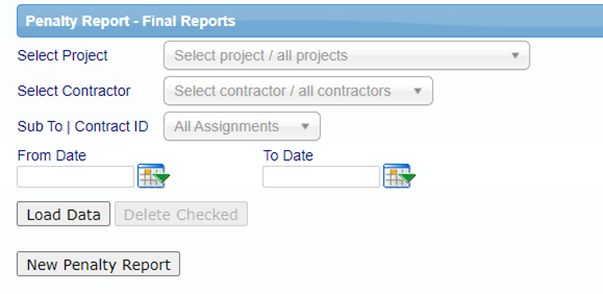
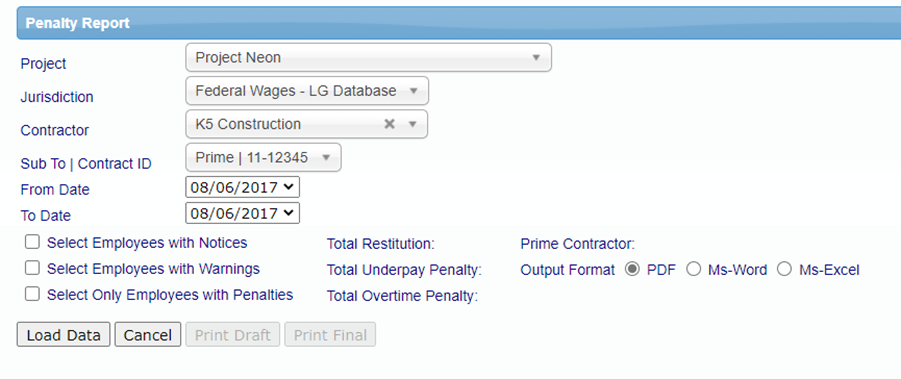
NOTE: this report is not currently able to be run on California State Prevailing Wage projects.
Report Sample
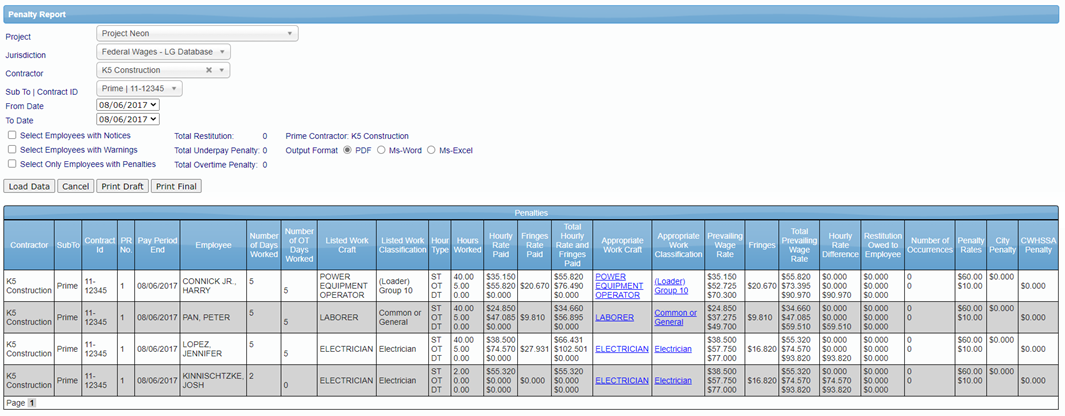
The Penalty Report can now be generated to differentiate assignments when a Contractor has multiple assignments on the same project. The report will break down the results by assignment.
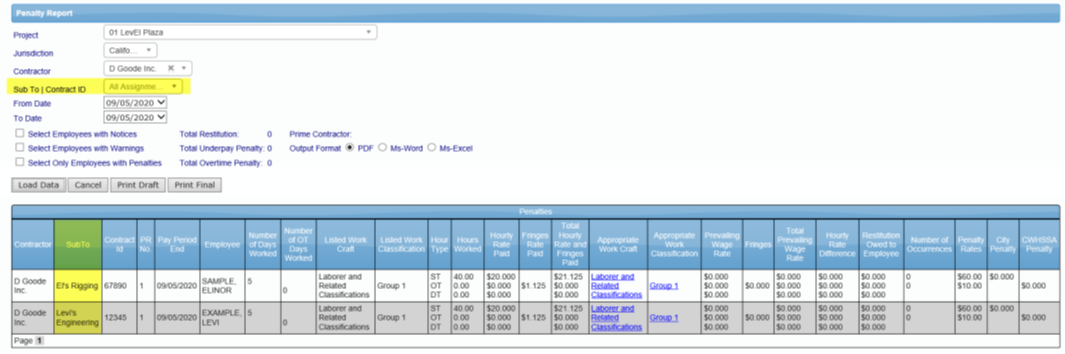
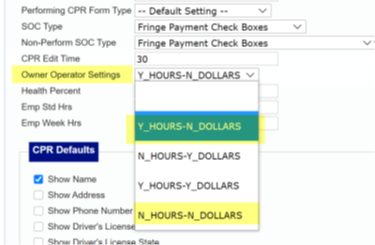
When a new Penalty Report is generated for a project which falls under a 'Department' with one of the two 'Owner/Operator' settings, the report will now exclude that employee from any restitution, underpayments, or penalties.
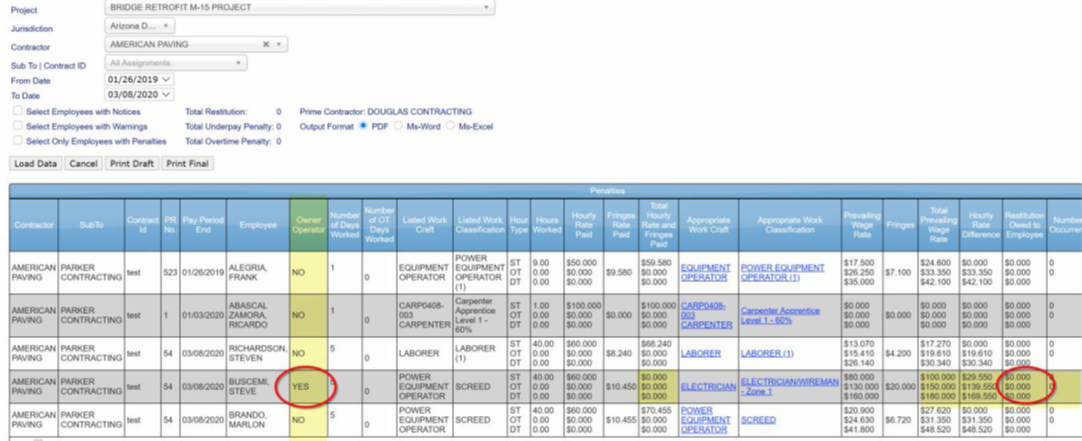
A new column has been added to the report that clearly displays the 'Owner/Operator' settings for each employee.
If an employee has 'Yes' and the 'Project' selected falls under a 'Department' where the 'Owner/Operator' settings are Y_Hours-N_Dollars or N_Hours-N_Dollars, that employee will not show any underpayment amounts or penalties on the report.
Was this article helpful?
That’s Great!
Thank you for your feedback
Sorry! We couldn't be helpful
Thank you for your feedback
Feedback sent
We appreciate your effort and will try to fix the article