Report Description
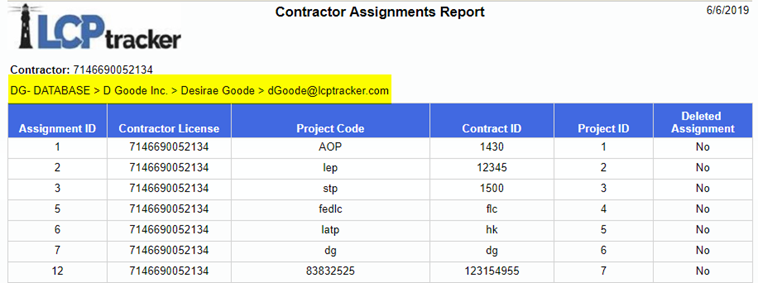
This report uses a contractor’s User ID to determine which projects a user is/has been assigned to within that database. A contractor’s User ID may be found under 'Set Up' Tab>'Contractor Setup'>'Add/Edit Contractors'>then choose Contractor by name. Their Contractor License No. or 10-digit Phone Number is their User ID.
Parameters

Report Sample
Using Contractor License #.
Was this article helpful?
That’s Great!
Thank you for your feedback
Sorry! We couldn't be helpful
Thank you for your feedback
Feedback sent
We appreciate your effort and will try to fix the article