After logging in and clicking an application icon on your dashboard, Users will encounter the new Account Selector tool when accessing the LCPtracker Professional application. This enhancement provides a more streamlined and intuitive way to log in, especially for users managing multiple accounts.
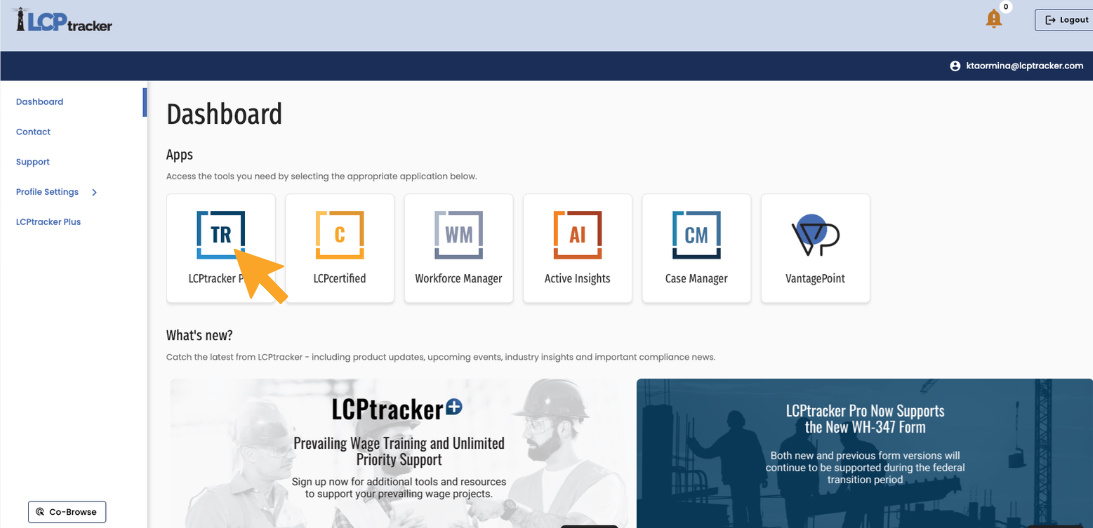
Select LCPtracker Pro on User Portal Dashboard.
Select an account*
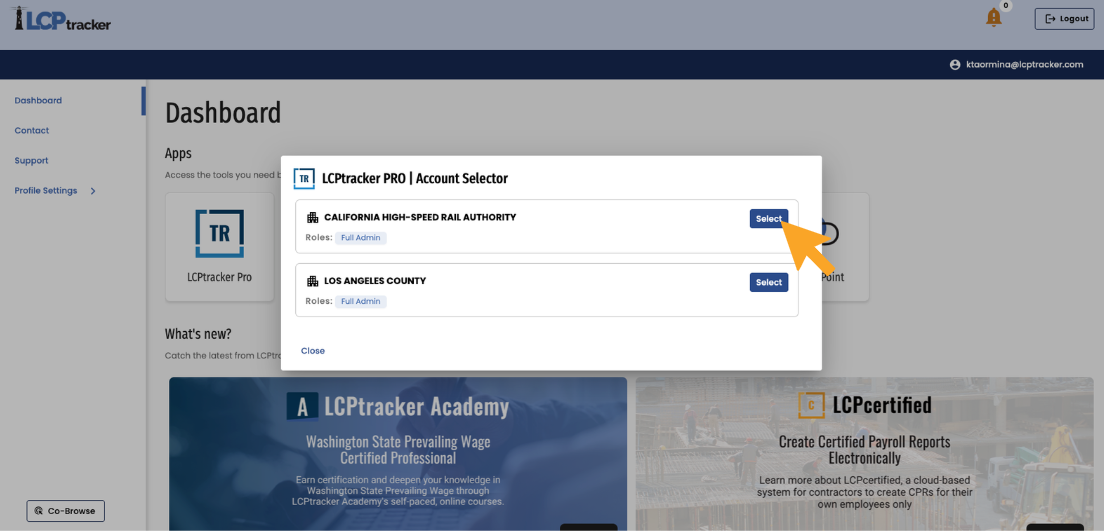
*View may vary based on the roles assigned to User.
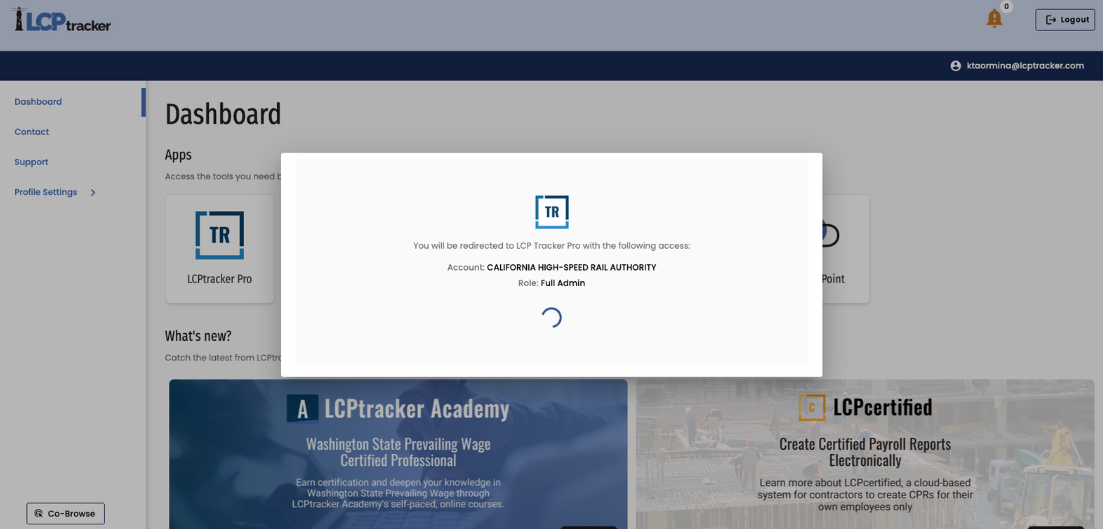
Wait for page to redirect to selected account.
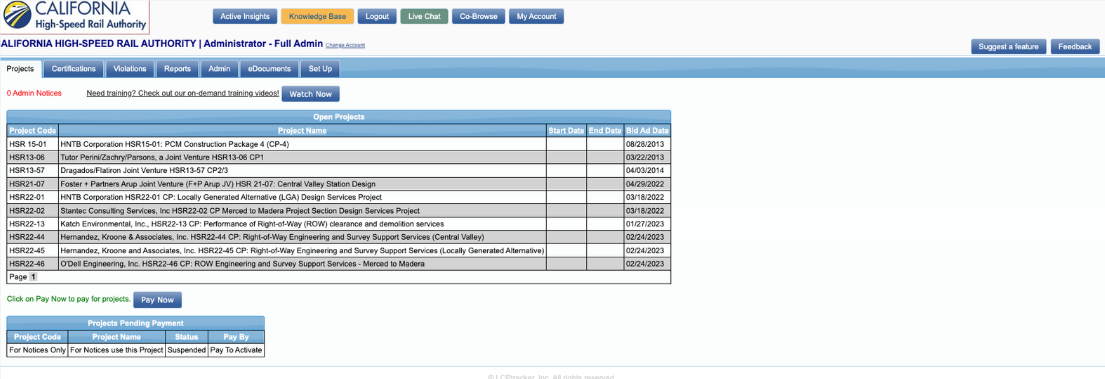
View selected account.
If you have any additional questions, please reach out to your Customer Success Manager or contact our support team at (714) 669-0052.
Was this article helpful?
That’s Great!
Thank you for your feedback
Sorry! We couldn't be helpful
Thank you for your feedback
Feedback sent
We appreciate your effort and will try to fix the article