LCP CaseView, CV 012
December 11, 2025
Release Highlights
- Removed required field validation for Case Overview.
- Case Deletion.
- Added required field validation for comments and Description.
- Added safeguards to keep your information safe and maintain compliance.
- Reinforced system security to protect sensitive data and ensure peace of mind.
Case Detail Form Enhancement
Removed required field validation for Case Overview and added requirement field validation for Comments and Description.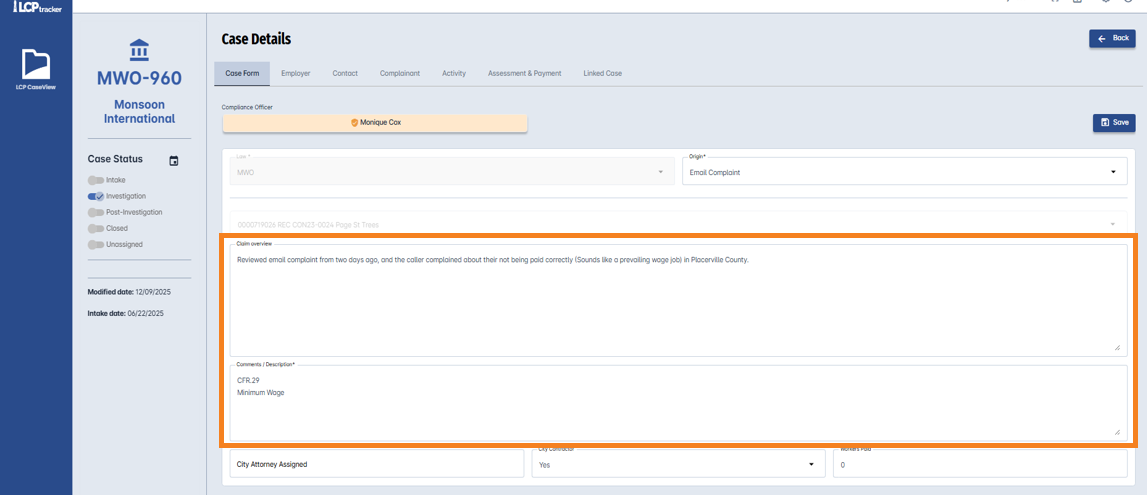

Why This Matters
Users can now view Comments and Description section narrative on the landing page, providing clearer case context and improving case visibility.
Case Deletion
We have added a new capability that gives you more control over your cases. You can now delete cases you’ve created when they are no longer needed or unnecessarily created.
How it works:
- From the CaseView dashboard, select Delete Intake.
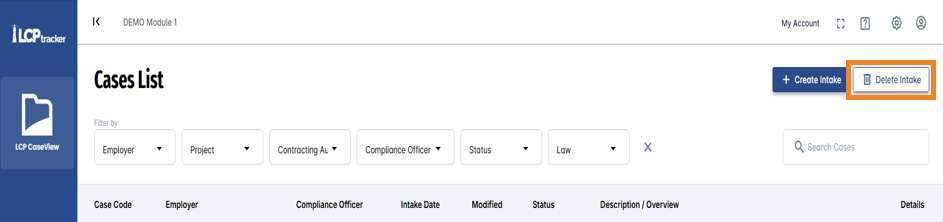
- A confirmation message will appear:
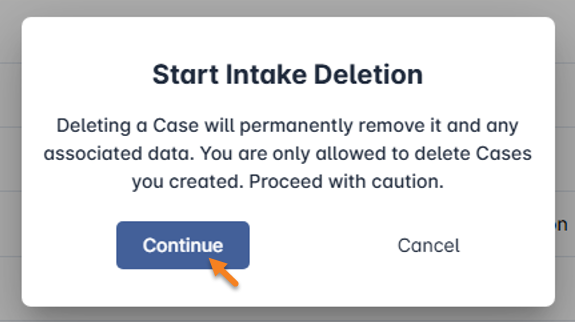
- Click Continue to proceed.
- A confirmation message will appear:
- Select cases to delete.
- The Delete Case Selection screen will appear, showing only the cases, you created.
- Use the Add button in the Actions column to select the cases you want to delete.
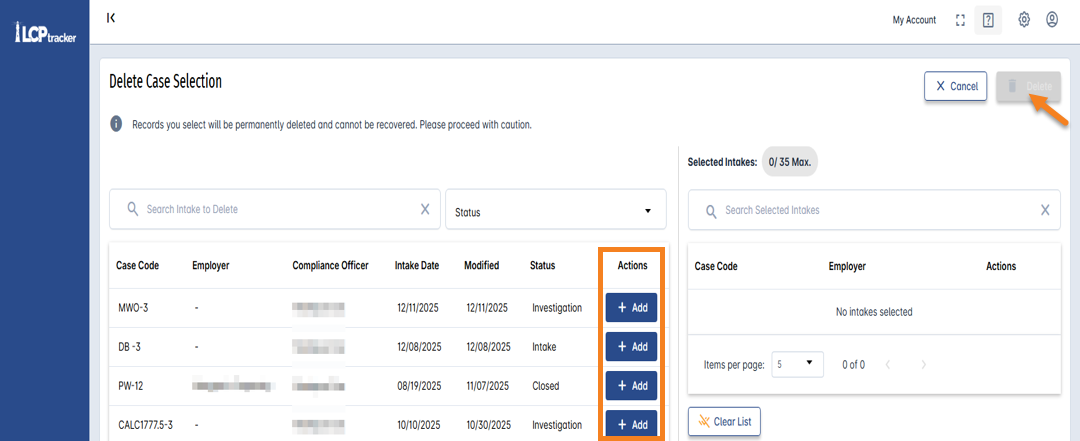
- When ready, click Delete on the top-right corner of the screen.
- Confirm Deletion.
- Another warning message will pop up:
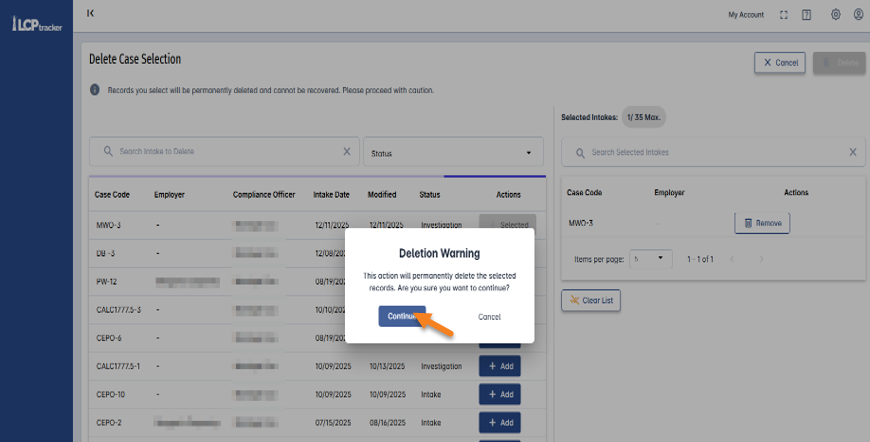
- Click Continue to confirm.
- Another warning message will pop up:
- Completion
- A success message will appear once the deletion is complete.
- You can then click Cancel to return the landing page or select Back Home.
Things to Consider:
- Deleted cases and their associated data cannot be recovered.
- Only the case creator can delete a case.
Why This Matters
- Keep case list clean: users can remove outdated or unnecessary cases, making it easier to focus on work.
- Improves Efficiency: reduction of clutter in the dashboard, helping to find relevant cases for resolution and closure.
- Security: Restricts deletion to cases created by the user who created the case, preventing accidental or unauthorized removal of critical data.
Security Enhancements
Added safeguards to keep information secure and maintain compliance. Reinforced system security to protect sensitive data and ensure peace of mind.
Summary
This release underscores our commitment to improving user experience, optimizing internal workflows, and ensuring robust security standards.
Was this article helpful?
That’s Great!
Thank you for your feedback
Sorry! We couldn't be helpful
Thank you for your feedback
Feedback sent
We appreciate your effort and will try to fix the article