Report Description: this report gives you a breakdown of individual employees for the weekend date you specify with daily totals, by project and by contractor. This report will give total prevailing rates including both the hourly rates and the fringe rates. It shows the following information:
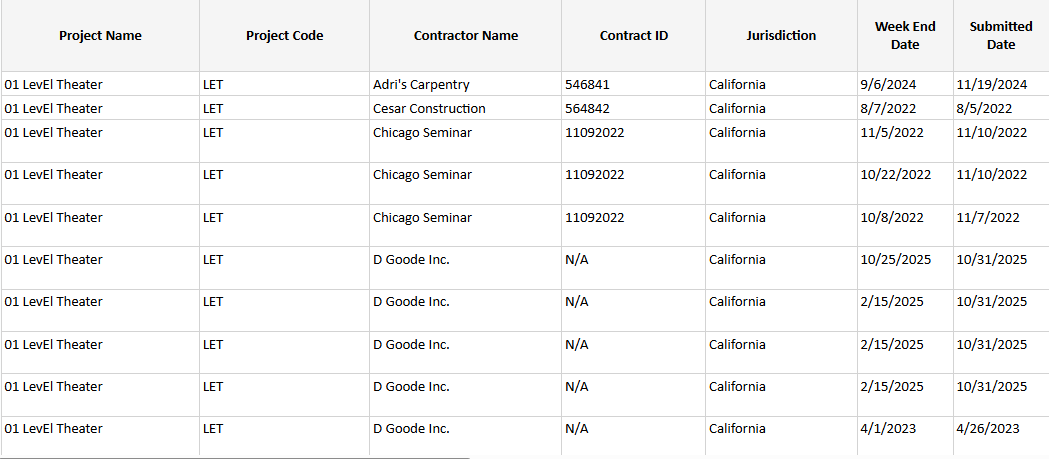
- Project name
- Project code
- Contractor name
- Contract ID
- Jurisdiction
- Week-end date
- Submitted Date
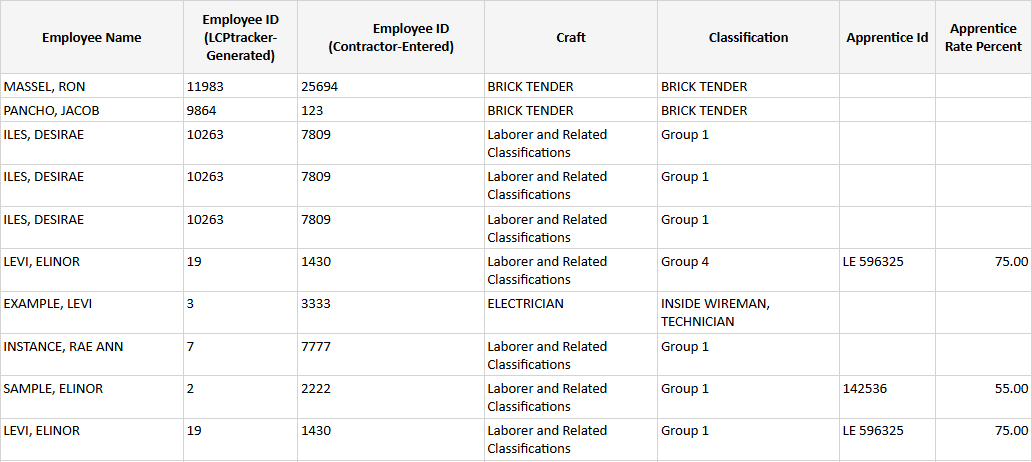
- Employee name
- Employee ID (LCPtracker generated)
- Employee ID (Contractor-entered)
- Craft
- Classification
- Apprentice Id
- Apprentice Rate Percent
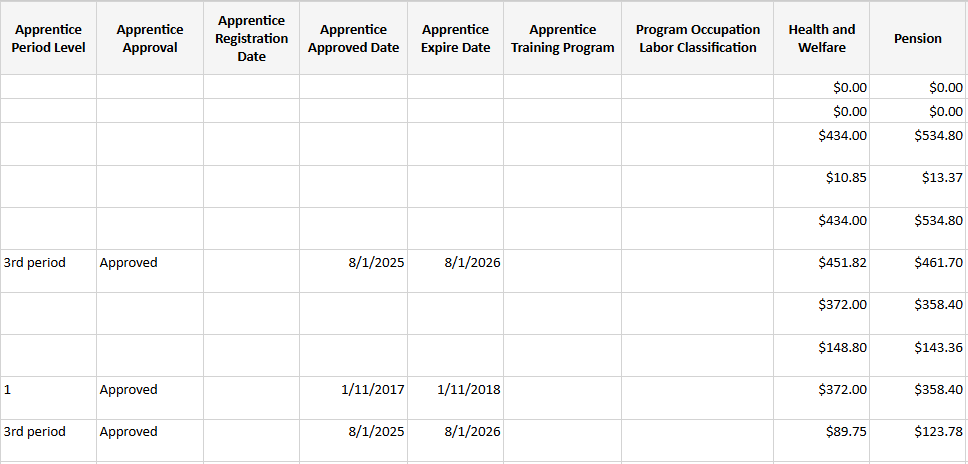
- Apprentice Period Level
- Apprentice Approval
- Apprentice Registration Date
- Apprentice Approved Date
- Apprentice Expire Date
- Apprentice Training Program
- Program Occupation Labor Classification
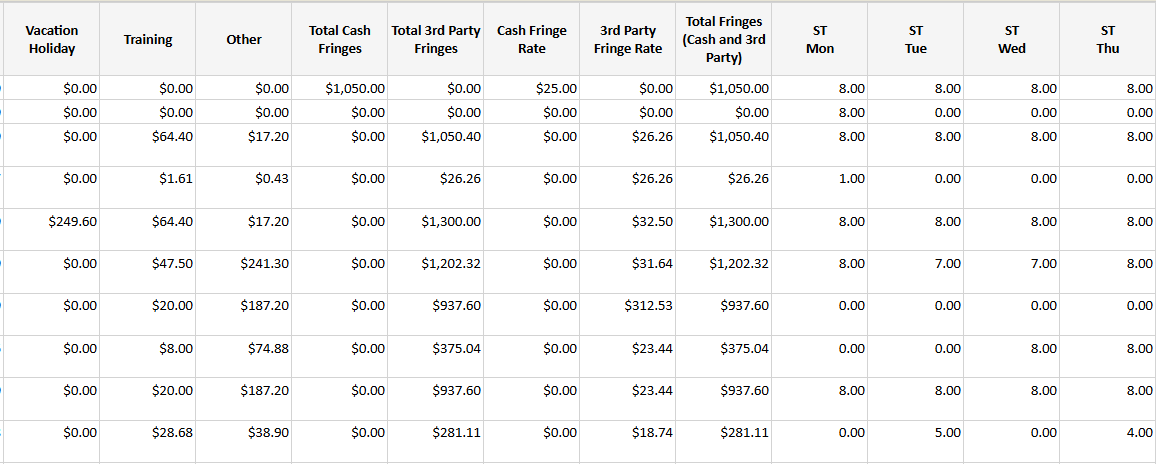
- Health and Welfare
- Pension
- Vacation/Holiday
- Training
- Other
- Total Cash Fringes
- Total 3rd Party Fringes
- Cash Fringe Rate
- 3rd Party Fringe Rate
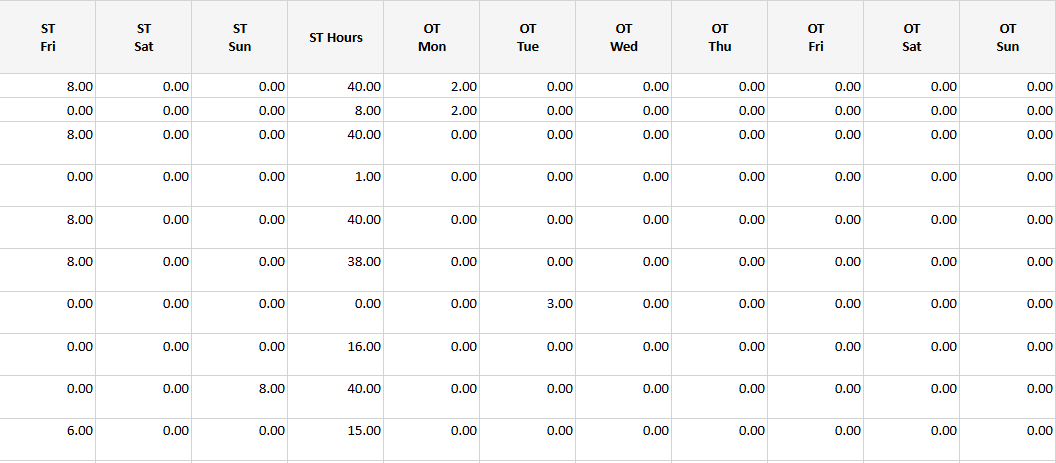
- ST hours Monday – Sunday
- OT hours Monday – Sunday (if applicable)
- All ST hours
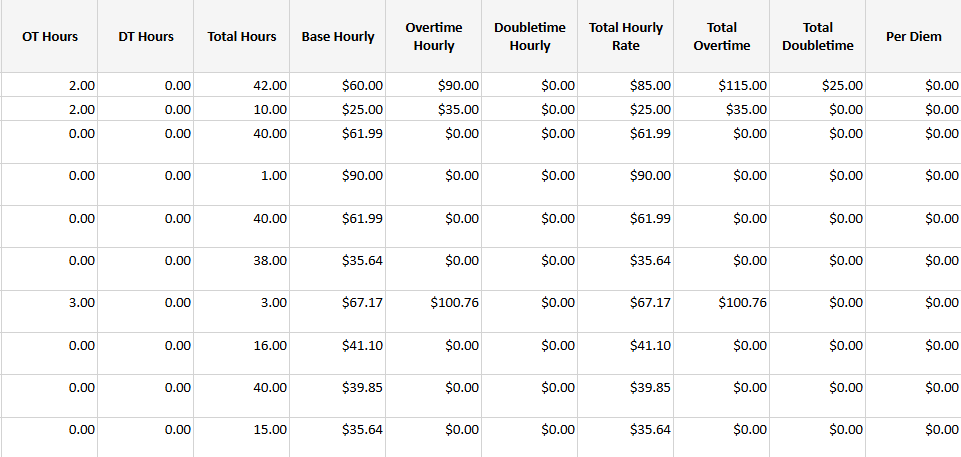
- All OT hours
- All DT hours
- Total hours
- Base hourly / OT hourly / DT hourly
- Total Hourly Rate*
- Total OT
- Total DT
- Per Diem amounts
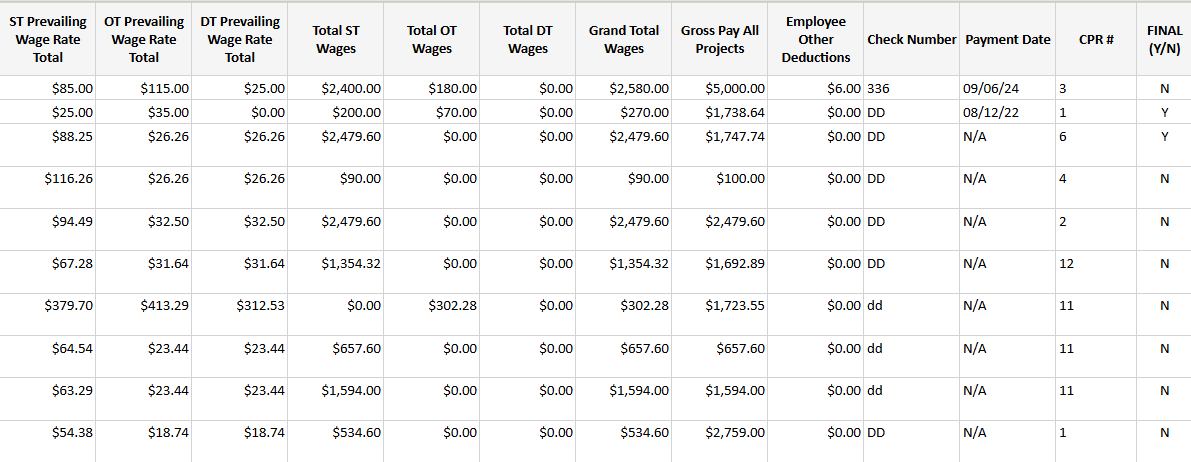
- ST Prevailing wage rate total*
- OT Prevailing wage rate total
- DT Prevailing wage rate total
- Total ST / OT / DT wages
- Grand total wages
- Gross pay all projects
- Employee other deductions
- Check number(s)
- Payment date
- CPR number
- Final (Y/N)
Parameters:
*Total Hourly Rate = ST hourly base + cash fringes
*ST Prevailing Wage Rate Total = Base rate paid to employee + rate in lieu of fringes + total fringes to 3rd part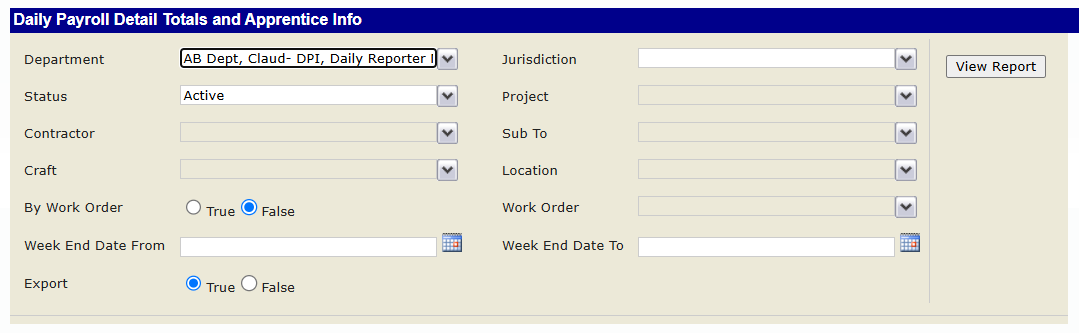
Report Sample:
Was this article helpful?
That’s Great!
Thank you for your feedback
Sorry! We couldn't be helpful
Thank you for your feedback
Feedback sent
We appreciate your effort and will try to fix the article