VantagePoint will be an invite only system, where the Agency will need to add your company to the VantagePoint database. Once you are added, you will be listed in the Vendors list to add to future projects.
You will receive a welcome email as shown the in the next example
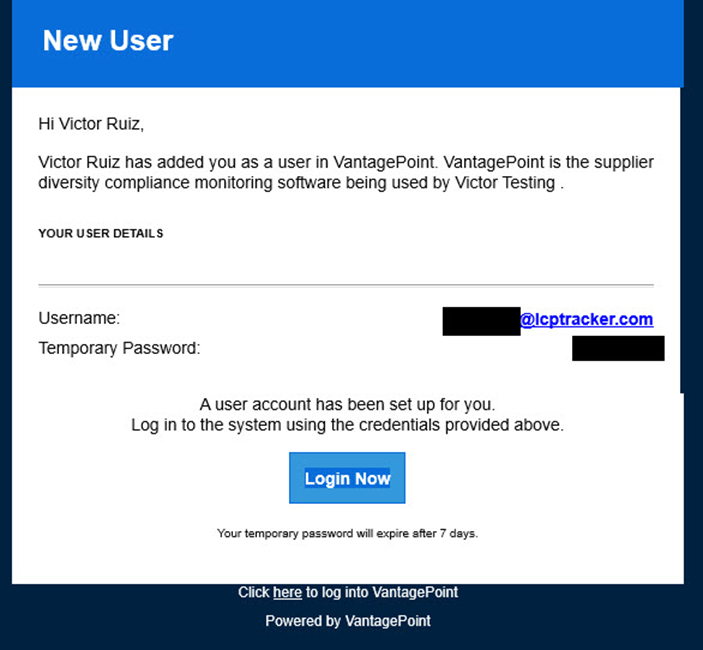
You will click the Login Now button which will direct you to the login page.
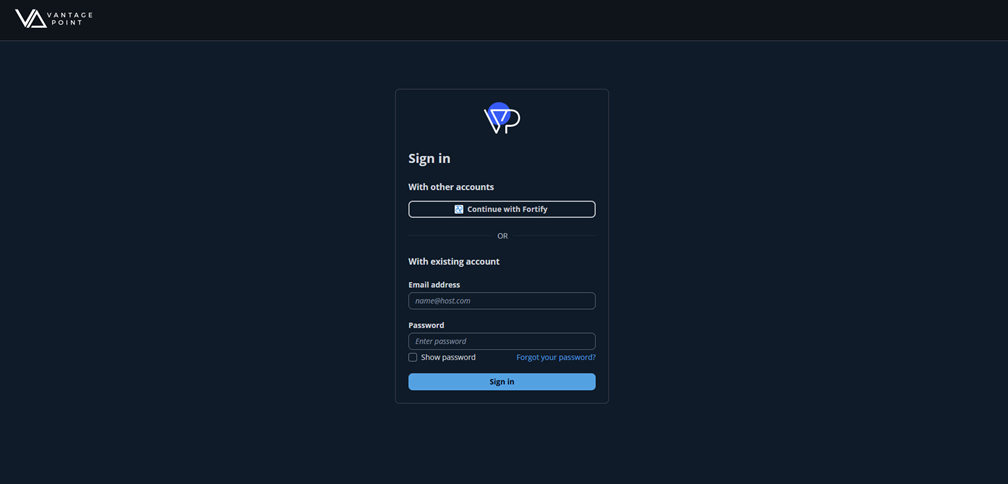
You can also access the VantagePoint login page here.
Once logged in, you will see your company name and are ready to start using the VantagePoint software.
Adding Additional Users
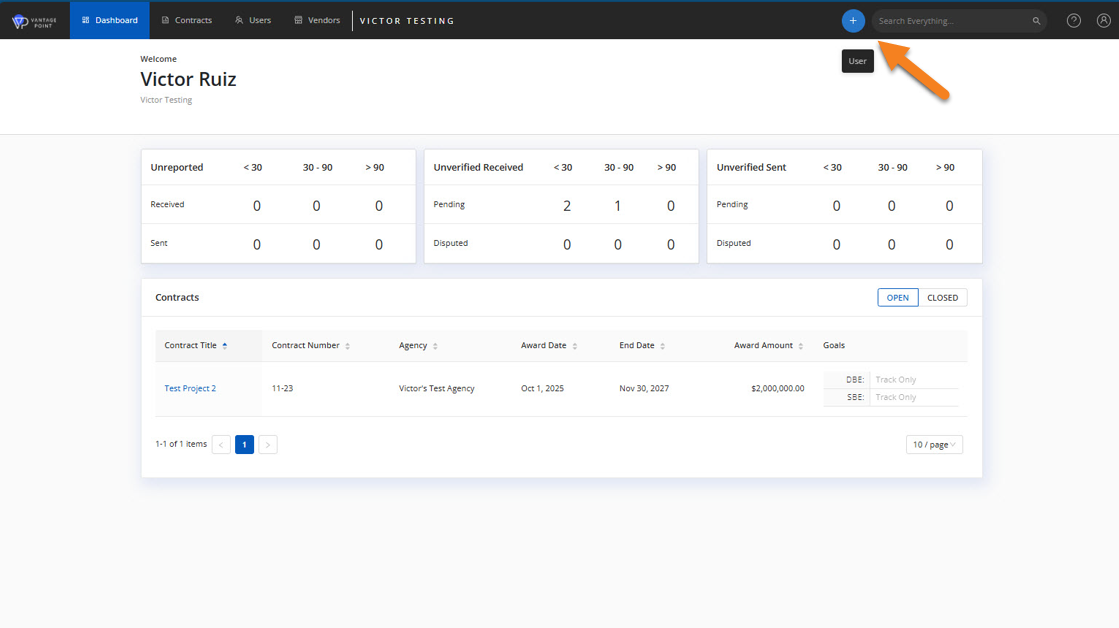
If you need to grant a person individual access to VantagePoint, you can do this by clicking the ‘+’ plus sign and clicking the User selection that displays.
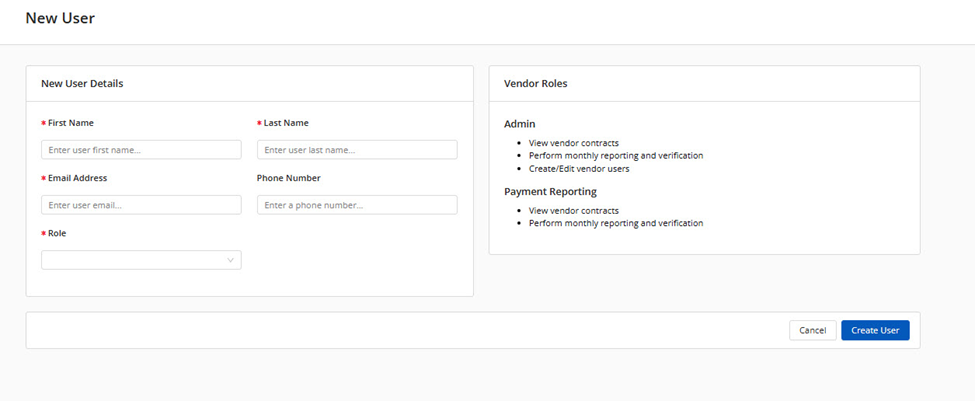
You will then fill out the required fields and click the Create User button at the bottom right.
The user will then receive an email, similar to the welcome email, to get logged in.
If you run into any issues, please reach out to Support for further assistance.
- (714) 669-0052 option 4
- support@lcptracker.com
Was this article helpful?
That’s Great!
Thank you for your feedback
Sorry! We couldn't be helpful
Thank you for your feedback
Feedback sent
We appreciate your effort and will try to fix the article