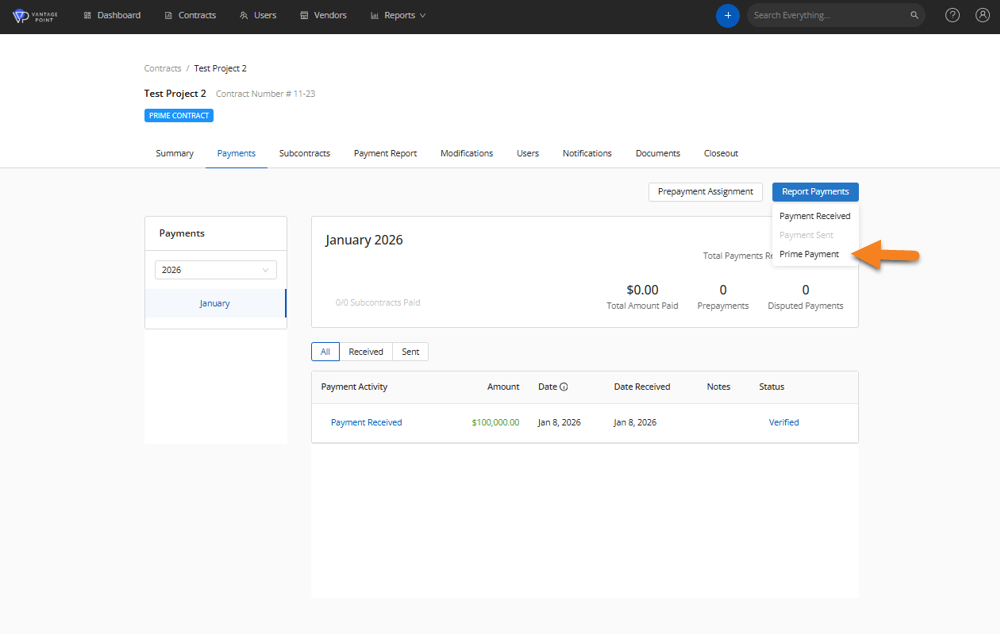
To submit a payment to a Prime Vendor, you can navigate to the contract you would like to report a payment for, and select the Payments tab. You will then click Report Payments and the system will give you several options to choose from.
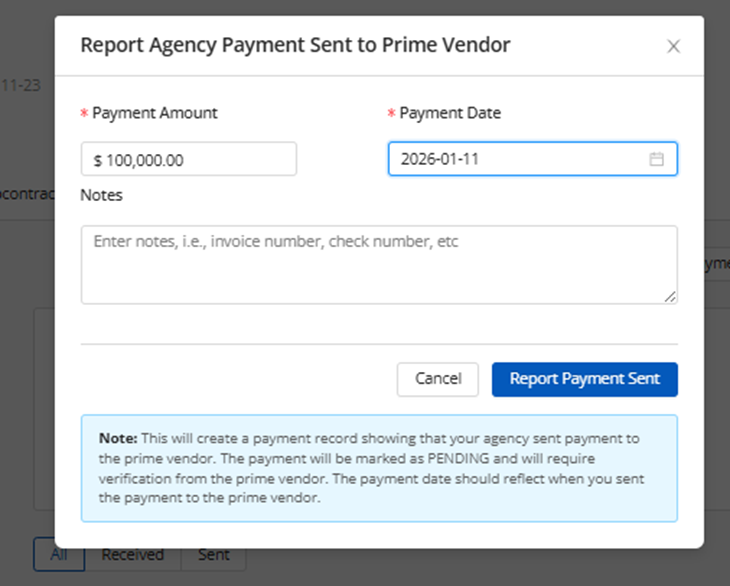
After selecting Prime Payment, the following section will appear, where you will be able to report the amount of payment being reported along with the payment date. You will be able to add notes if needed as well.
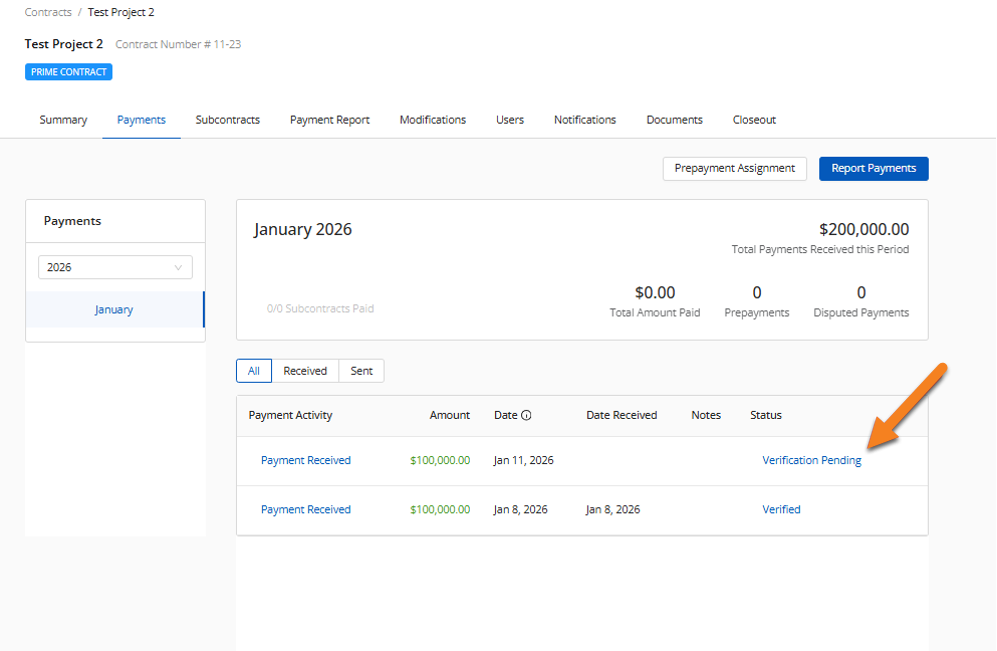
The payment will then be listed and show the status of the payment.
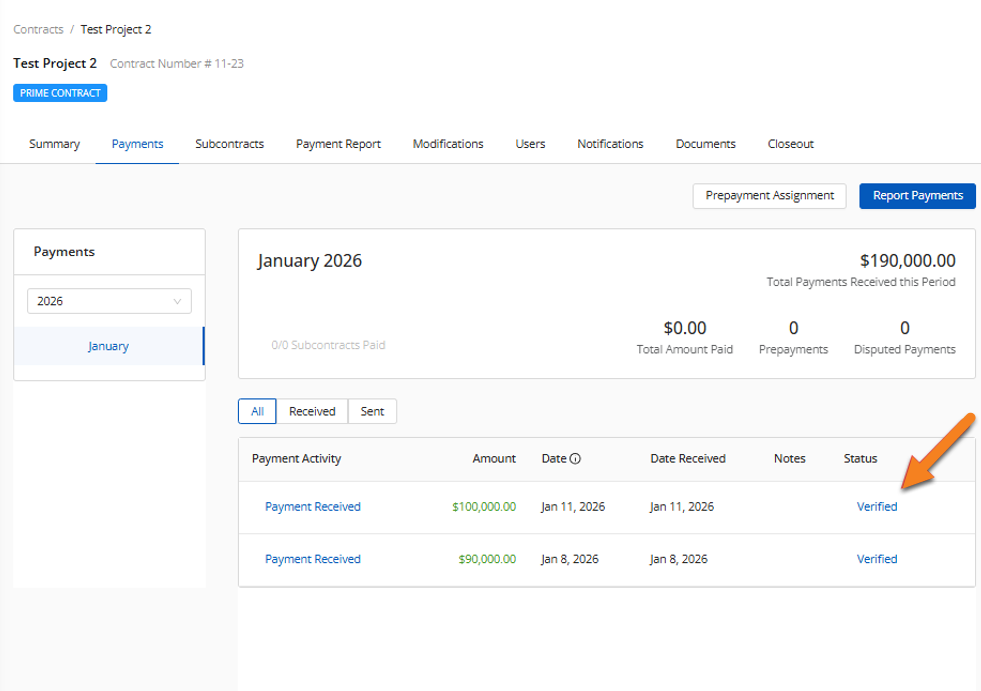
The contractor will then receive a notification with the payment report, where they will have to verify the payment amount. After the payment has been verified, the status will update to reflect verification.
Was this article helpful?
That’s Great!
Thank you for your feedback
Sorry! We couldn't be helpful
Thank you for your feedback
Feedback sent
We appreciate your effort and will try to fix the article