Violations Tab
Any hidden Notices or Warnings that exist when the Contractor submits the CPR are listed under the Violations tab. Administrators can review these potential violations, act, or delete as needed.
The Violations screen displays the current potential violations from all the Contractors and all the Projects if not set as a hard stop for the Contractor. 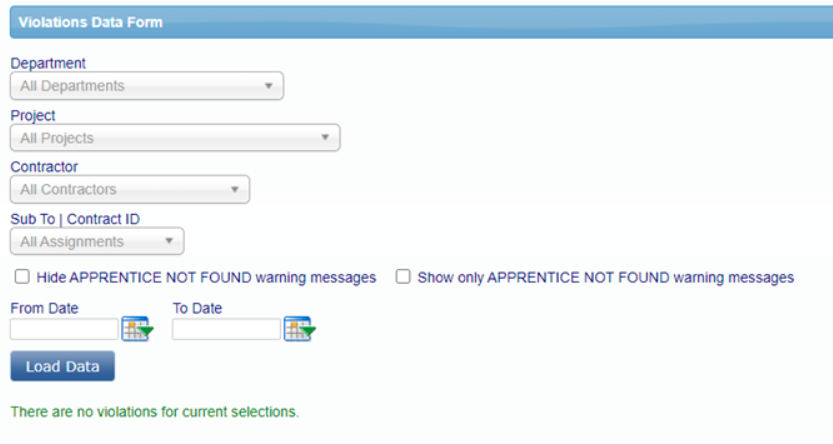
When viewing violations, it is beneficial to use the filters to only view the violations by Department, Project and the Contractor then click Load Data. As the administrator you can delete the violation, or you can view the violation and choose to resolve it if applicable.
Once an Agency/Admin loads the violations for a particular department, project, or contractor, you will see the number of violations displayed and then can view the specific violations for each line. The chart will display the last viewed date.

Flagged CPRs
LCPtracker has developed an additional app setting that will display a YES on the certification tab if triggered violations are present on the certified payroll.
Was this article helpful?
That’s Great!
Thank you for your feedback
Sorry! We couldn't be helpful
Thank you for your feedback
Feedback sent
We appreciate your effort and will try to fix the article