Release Highlights
This release enhances document management, user administration, and support accessibility within VantagePoint. Users will benefit from greater flexibility when managing documents, a cleaner and more secure user experience, easier access to support resources, and improved navigation within administrative workflows.
Adding Additional Document Type: Final Lien Waiver (Admin Users Only)
What changed
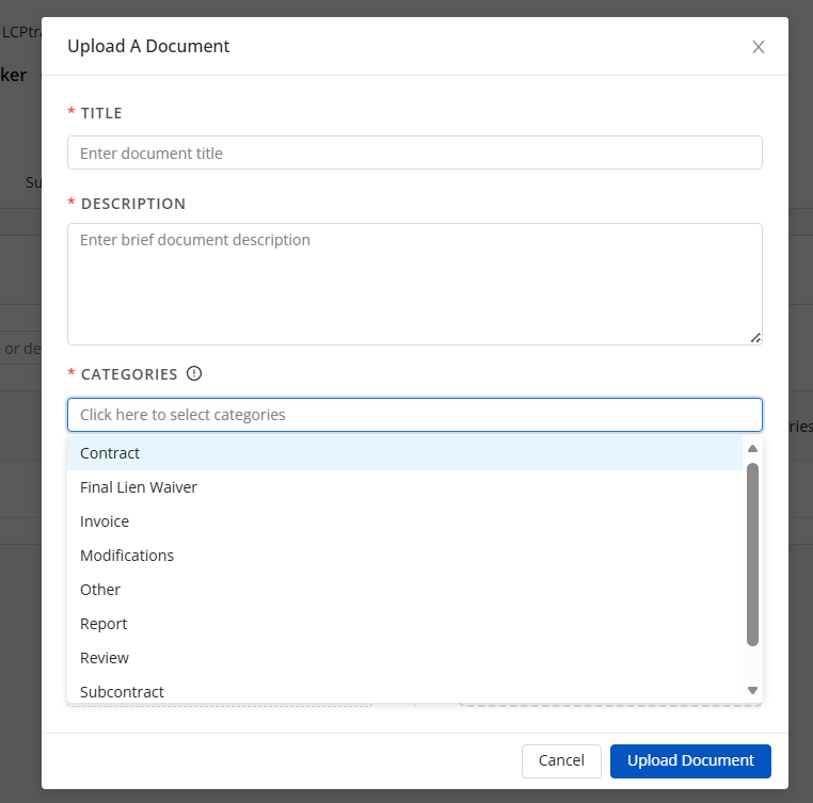
A new document category, Final Lien Waiver, has been added to the Contract Documents section. Users can now select this category when uploading new documents, updating existing documents, or filtering documents within a contract. The category is saved with the document and displayed as a document tag for easier organization and identification.
Why it matters
Final lien waivers are commonly required as part of contract closeout and payment verification processes. This enhancement gives agencies, prime contractors, and project administrators a dedicated way to store, organize, and quickly locate final lien waiver documentation without relying on generic document categories.
Where to find in VantagePoint
- First go to Contracts.

- Next, select the contract.
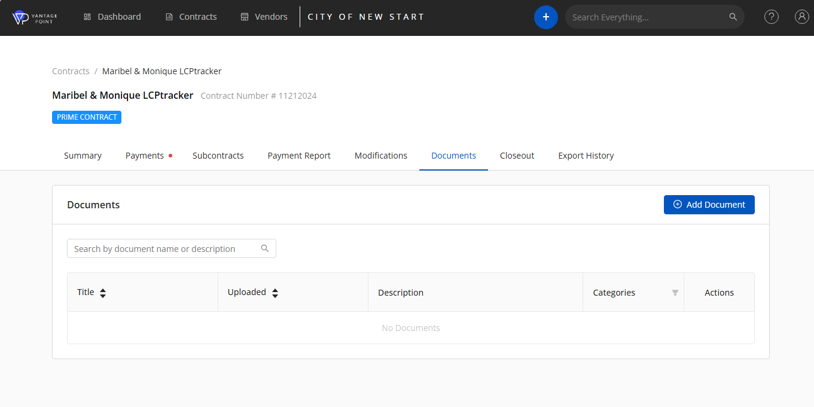
- Go to Documents tab, select Add Document.
- Under Categories you will find the new document type, Final Lien Waiver.
Key Benefits
- Improved document organization and compliance tracking.
- Identification of final lien waiver documentation.
- Accurate categorization of contract-related records.
Enhanced Support Access
What changed
The Support link has been updated to provide direct access to both the Knowledge Base and Support agent ticket resources.
Why it matters
- Makes it easier to find answers to common questions.
- Provides faster access to technical support.
- Improves overall self-service capabilities.
Where to find in VantagePoint
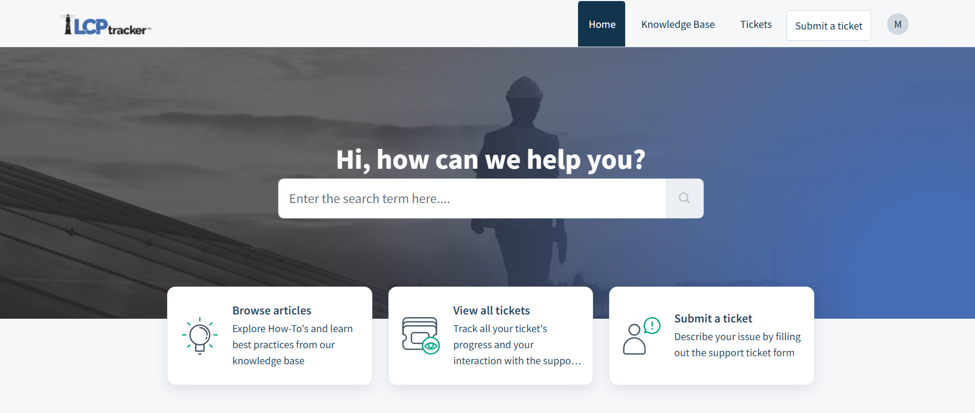
Located on the right side of the screen, select the question mark, and select Knowledge Base.

The Knowledge Base will open in a separate browser screen, allowing you the ability to move back and forth between VantagePoint and the Knowledge Base application.
Was this article helpful?
That’s Great!
Thank you for your feedback
Sorry! We couldn't be helpful
Thank you for your feedback
Feedback sent
We appreciate your effort and will try to fix the article