November 2026 – Release 71
Workforce Manager Release Highlights
Brief Overview
This Workforce Manager release introduces improvements to participant certification management, renewal workflows. These enhancements help users monitor certification expiration dates, renew certifications, and maintain more accurate participant records.
Certification Expiration date visibility
Where: Participant Portfolio>Certifications
What Changed
Users can now view Certification Expiration Dates directly from the participant certifications list without opening individual records. Confirmations and warning messages provide guidance throughout the certification renewal process.
Why This Matters
Messages help users understand successful renewals, identify records available for review only, and recognize actions that could affect certification history.
The enhancement includes:
- A new Expiration Date column.
- Filtering for Active and Expired Certifications.
- Improved visibility into Certification Status.
- Provides clearer guidance during Renewals.
- Reduces accidental changes.
- Supports more consistent record management.
Why This Matters
- Quickly identify expired certifications.
- Reduce time spent reviewing individual records.
- Improve certification compliance tracking.
Current Certification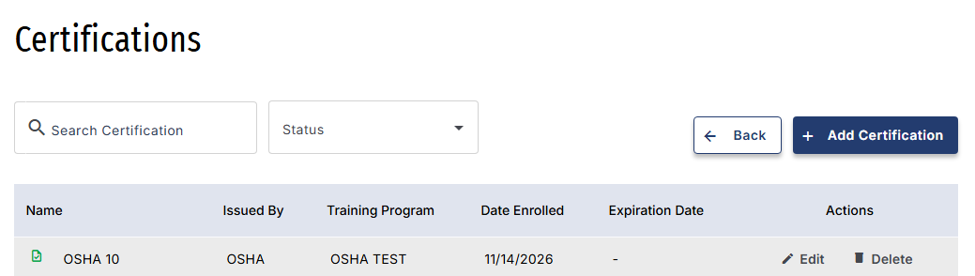
Expired Certification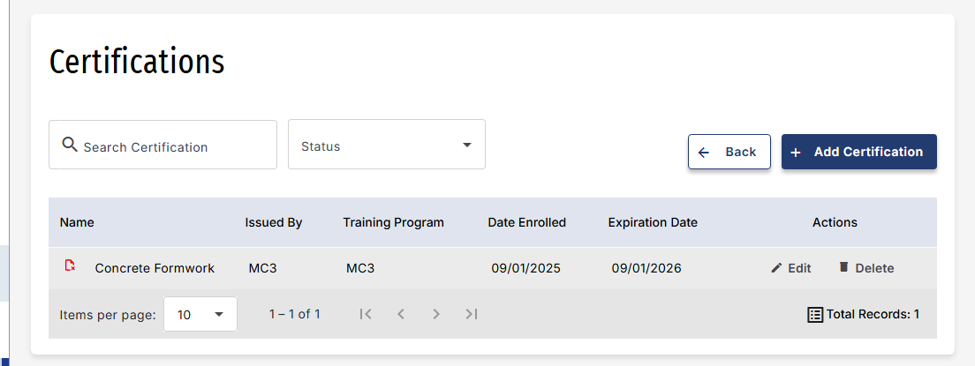
Renewing a certification record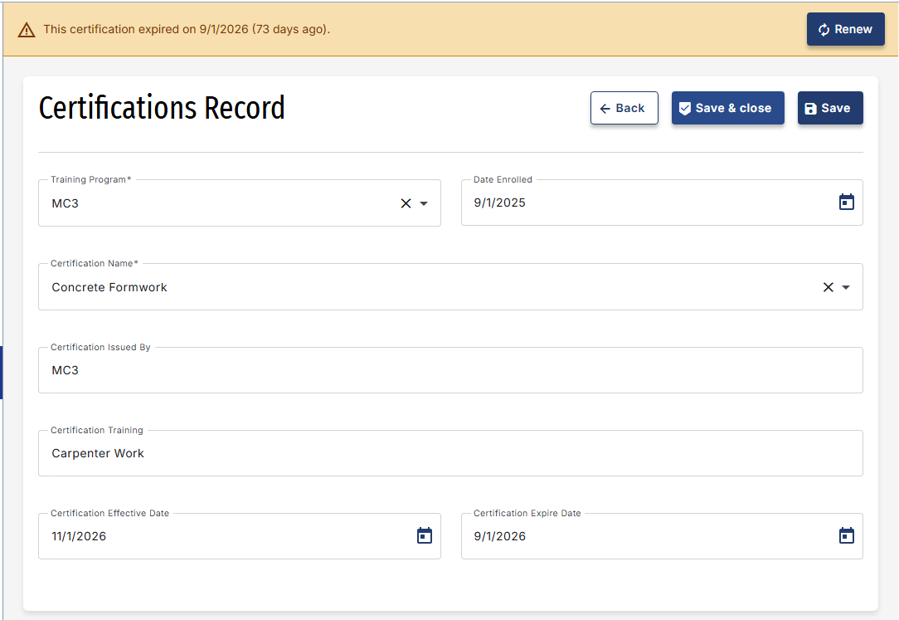
Was this article helpful?
That’s Great!
Thank you for your feedback
Sorry! We couldn't be helpful
Thank you for your feedback
Feedback sent
We appreciate your effort and will try to fix the article