This guide reviews the Registration Summary Report and the Registrants Dashboard. It will assist in ascertaining where data is pulling from in the account, to the reports and how the reports can be used.
Registration Summary Report
The Registration Summary Report offers a consolidated and comprehensive overview of individuals who have completed the registration process within the specified context.
This report serves as a valuable tool to understand key demographic insights and registration details of the participants.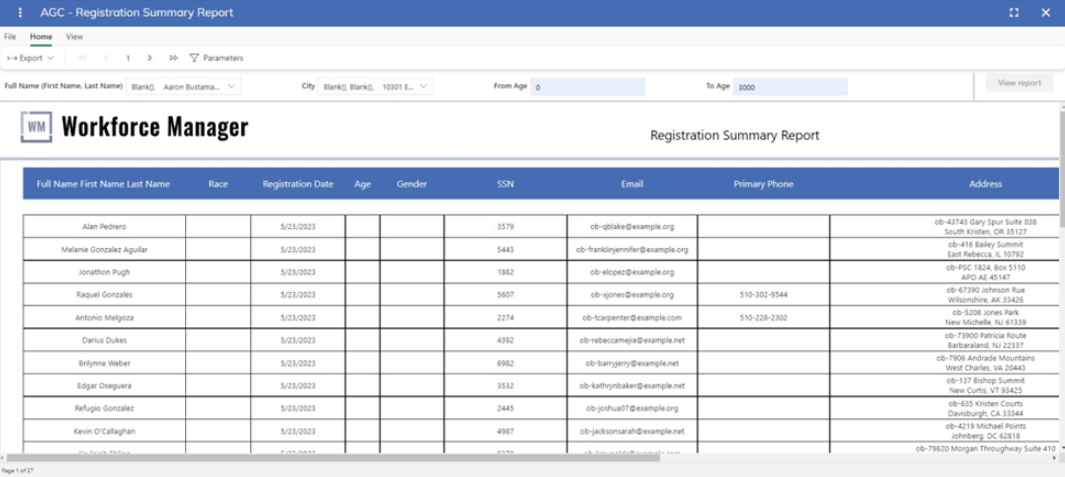
Filtering the Report
This report is filtered based on the selection within the following filters:
Full Name
This filter captures the complete names of the individuals who have registered. It allows for searching and filtering based on the participants' full names, aiding in identifying specific individuals within the report.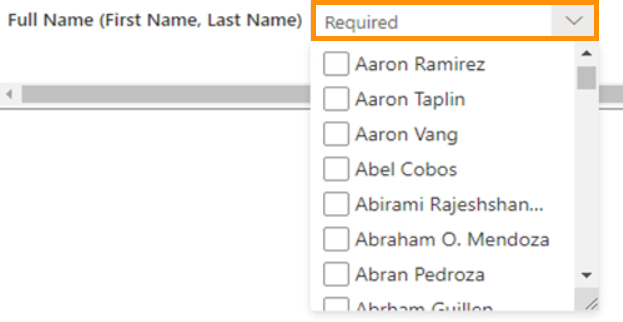
City
The City filter pertains to the cities of residence or relevant locations of the registrants. It facilitates sorting and analysis based on geographic distribution and helps in understanding the regional representation of the registered participants.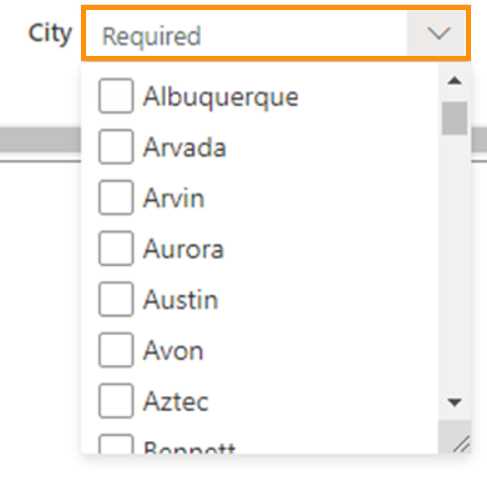
From Age
This filter defines the lower threshold of the age range for filtering. It helps to narrow down the list of registrants to those who fall within a specific age range, aiding in targeted analysis based on age groups.
To Age
The To Age filter sets the upper threshold of the age range for filtering. Similar to the 'From Age' parameter, it assists in refining the list of registrants based on age.
Registrants Dashboard
The Registration Dashboard is a report which contains graphics represents information about the registrations in California. The Dashboard has multiple sections displaying different information of the registrants.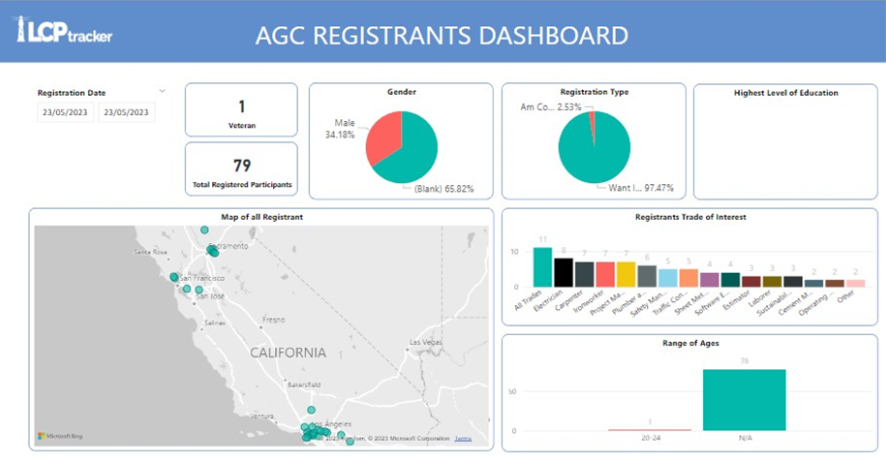
Dashboard Sections
The sections included in the dashboard are listed below:
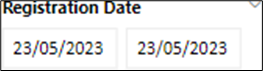
Registration Date
This filter allows select a range of date to filter the information.
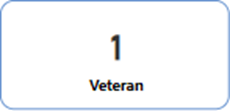
Veteran
The number of veterans of the total of Registrants.
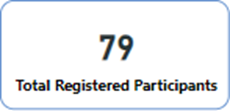
Registered Participants
The total of all Registrants.
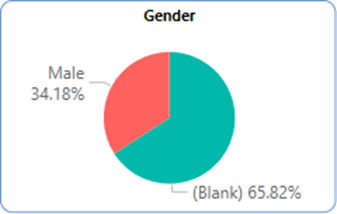
Gender
The chart represents the breakdown of all participants and group them by Gender.
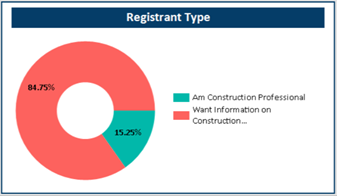
Registration Type
This chart displays the total number of participants group by the type of Registration.
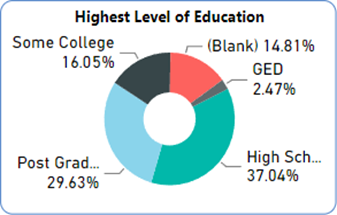
Highest Level of Education
This donut chart breaks down all the participants and groups them by education level.
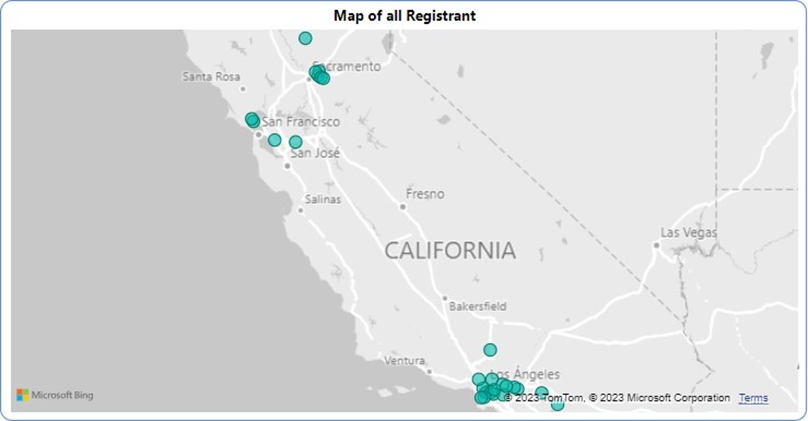
Map of all Registrant
This map displays the overall location of all registered participants.
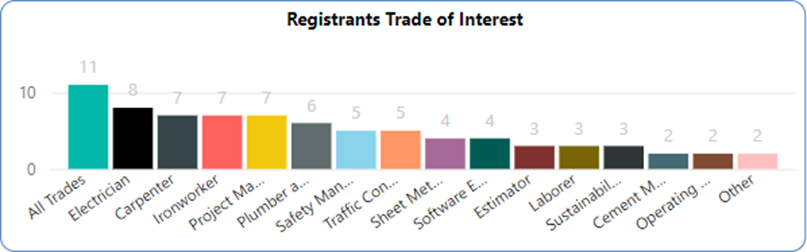
Registrants Trade of Interest
This bar chart shows the total number of participants for each specific Trade where they are interested in participating.
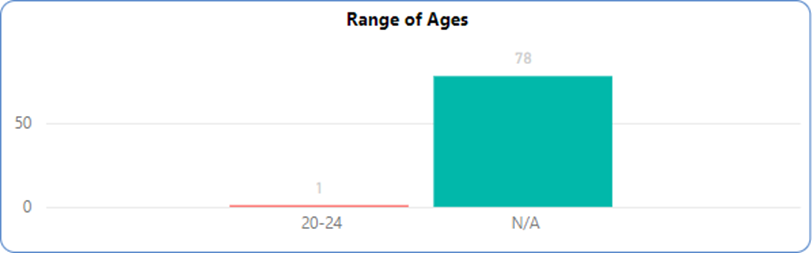
Range of Age
The bar chart is displayed the total number of participants group them by range of Age.
Was this article helpful?
That’s Great!
Thank you for your feedback
Sorry! We couldn't be helpful
Thank you for your feedback
Feedback sent
We appreciate your effort and will try to fix the article