Apprentice Program Information
The information needed for this setup can usually be located on an apprenticeship certification, and Administrators can utilize the eDocuments section in LCPtracker to request this information from subcontractors.
To set up Apprentice Program Information, Administrators will navigate to Set Up>Apprentice Training Program.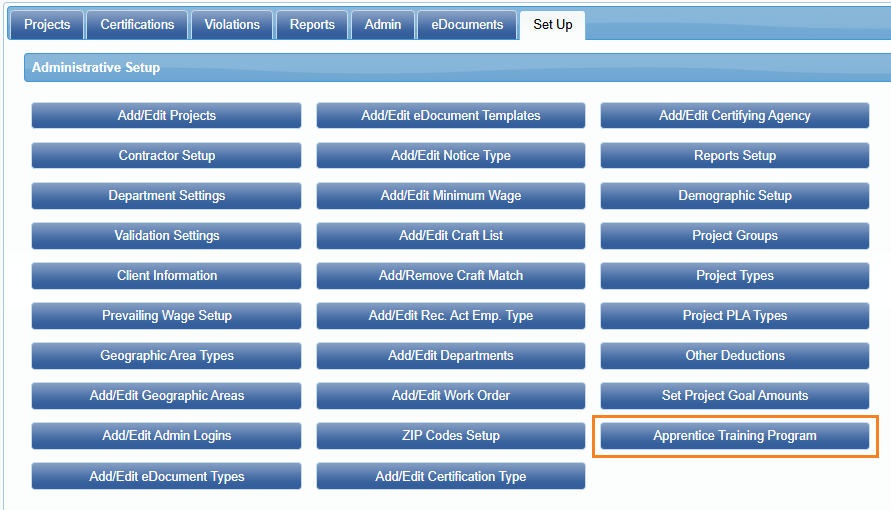
Here, Administrators can add or edit Apprentice Training Program information and Labor Classifications.
Note: Labor Classification(s) must be set up prior to adding an Apprentice Training Program.
Add/Edit Labor Classification
To add a new Labor Classification, click Add/Edit Labor Classification.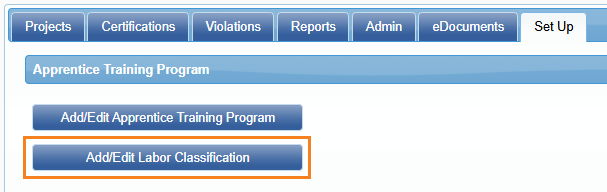
Next, click on Add Labot Classification.

Type the Name of the Labor Classification and click Save.
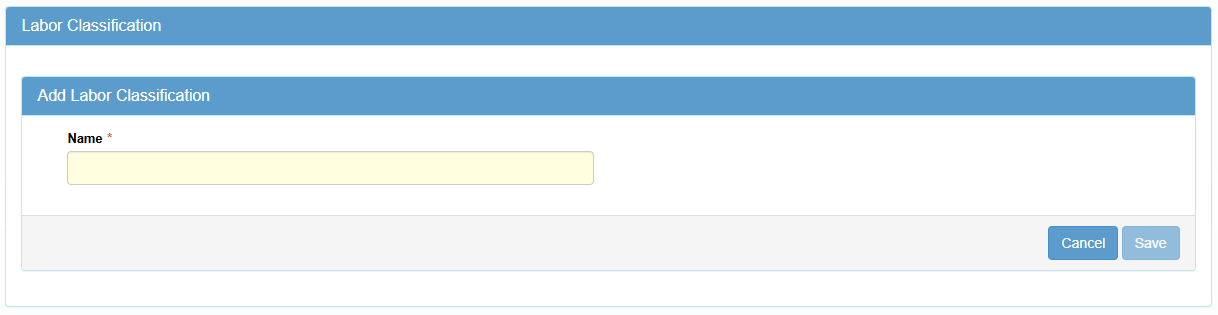
This classification filters the dropdown options for Apprentice Training Programs. When entering payroll, if the selected craft is linked to an Apprentice Program, the details will automatically appear on the Certified Payroll Report.
Apprentice Program - Statement of Compliance Mapping: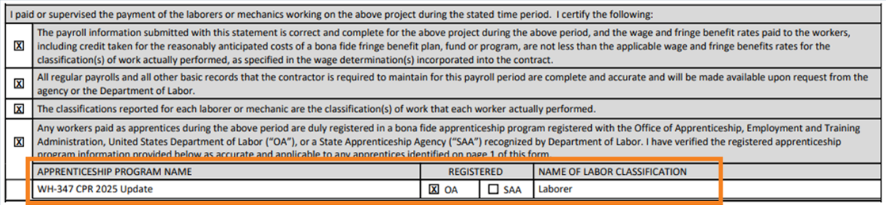
Add/Edit Apprentice Training Program
Next, navigate to Set Up>Apprentice Training Program>Add/Edit Apprentice Training Program.
Click Add Apprentice Labor Classification Training Program, then enter the information as applicable (usually found on the apprentice certification).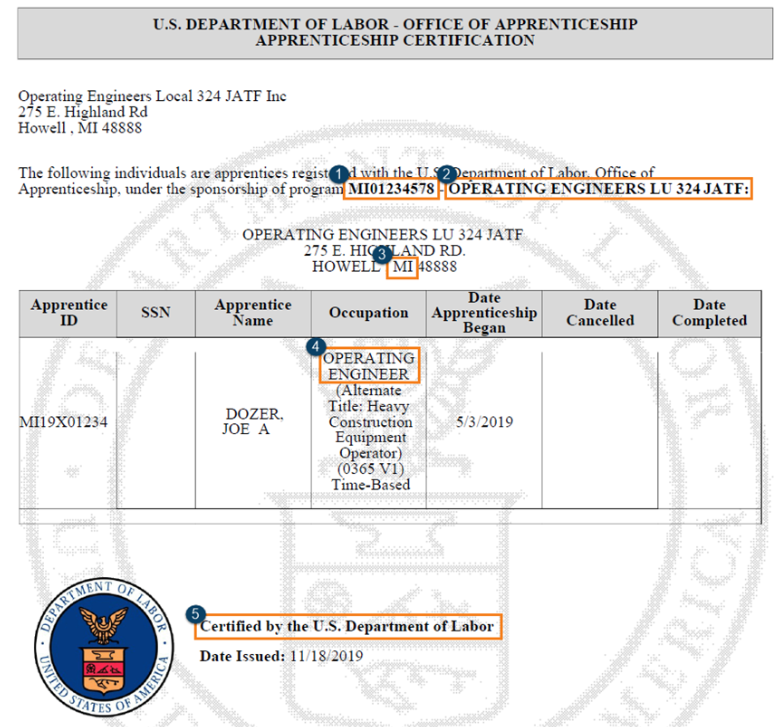

Required Fields:
- Apprentice Program Name
- Labor Classification
- Registered (although not required, this will appear on the WH347 output when selected)
- OA - DOL’s Office of Apprenticeship
- SAA - State Apprenticeship Agency
Non-Required Fields:
These fields are optional, and will not appear on the WH-347, but they provide supporting details that may be useful for future system features and for presenting a complete view of the program.
- States
- Apprentice Program ID
Was this article helpful?
That’s Great!
Thank you for your feedback
Sorry! We couldn't be helpful
Thank you for your feedback
Feedback sent
We appreciate your effort and will try to fix the article